P1.53 or P1.888? How to Choose the Right Pixel Pitch for an Indoor Kinetic Screen
One-Sentence Definition: When selecting an indoor kinetic screen such as the SPKI-166, a smaller pixel pitch is not automatically better. The right choice requires balancing physical viewing distance, image-detail requirements, and project budget. P1.53 delivers premium image quality for close-range immersive viewing, while P1.888 maintains high-definition visuals with a better balance of cost efficiency and processing requirements.
1. Why You Shouldn’t Automatically Choose the Smallest Pixel Pitch
Many buyers approach LED displays the same way they approach smartphone screens: the smaller the pixel pitch—such as P1.53 or P1.888—the higher the resolution and the finer the image quality. So naturally, the smallest pitch must be the best choice.
For a conventional flat LED display, that logic may often make sense. But for a kinetic screen, it can become an expensive misconception.
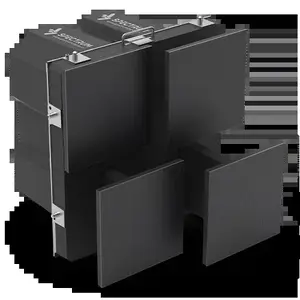
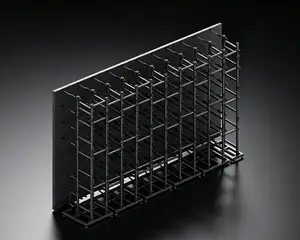
The biggest difference between a kinetic screen and a conventional display is what sits behind the LED surface: hundreds or even thousands of motors, linear motion mechanisms, guide rails, and control boards.
When you choose a smaller pixel pitch such as P1.53, more LEDs, denser PCBs, and more complex driver ICs must be integrated into the same physical module area.
This has several direct consequences:
- Higher cost: P1.53 LED and driver components cost more than their P1.888 counterparts.
- Higher weight and power consumption: Higher-density modules can affect cabinet weight distribution and place additional demands on suspension structures and mechanical movement.
- Greater processing requirements: Driving a higher pixel density requires more video-processing capacity and data bandwidth.
Choosing between P1.53 and P1.888 is therefore fundamentally a trade-off between maximum image detail and engineering cost efficiency.
2. The Physics: Viewing Distance Determines the Minimum Pixel Pitch You Need
No matter how advanced a display becomes, the resolving power of the human eye has practical limits. That makes viewing distance one of the first factors to consider when selecting pixel pitch.
A commonly used rule of thumb in the LED industry is:
Recommended Viewing Distance (m) ≈ Pixel Pitch (mm) × 1 to 1.5
Based on this guideline, the two SPKI-166 options can be considered as follows:
P1.53
Recommended viewing distance: approximately 1.5–2.3 meters.
At close viewing distances, the high pixel density helps produce a finely detailed image with less visible pixelation. It is particularly suitable for premium retail environments, VIP reception areas, and smaller high-end showrooms.
P1.888
Recommended viewing distance: approximately 1.9–2.8 meters.
As long as viewers are not standing extremely close to the screen, P1.888 can still deliver highly detailed visuals in conventional showrooms, exhibition spaces, and product-launch environments.
Selection Recommendation
If viewers may stand less than 2 meters from the display—for example, along a corridor wall or in a premium retail window—choose P1.53 to minimize visible pixelation.
If the display is installed on the main wall of a showroom more than 3 meters wide, or viewers typically stand 2.5 meters or farther away, P1.888 provides a more cost-effective balance of image quality and budget.
3. P1.53 vs. P1.888: More Than Image Quality—It’s Also About Budget and Processing
| Comparison | P1.53 — Maximum Detail | P1.888 — Balanced Performance & Cost |
|---|---|---|
| Resolution per Module | 108 × 108 | 88 × 88 |
| Pixel Density | Very high, approx. 426,000 pixels/m² | High, approx. 280,000 pixels/m² |
| Recommended Viewing Distance | 1.5–2.3 m | 1.9–2.8 m |
| Best-Suited Content | Fine product textures, complex charts, detailed text, high-resolution artwork | Brand logos, dynamic video, large-scale 3D visuals, headlines |
| Hardware Cost | Higher | More cost-efficient |
| System Power Consumption | Slightly higher due to denser driver ICs | More energy-efficient |
When Should You Choose P1.53?
If the screen will display complex CAD drawings, detailed product specification tables, high-resolution artwork, jewelry details, or other fine visual content, the higher pixel density of P1.53 helps keep text edges and fine details sharper.
When Is P1.888 More Than Enough?
For content such as dynamic 3D effects, illuminated brand logos, particle animations, and large-format motion graphics, viewers are often more focused on the physical 3D depth created by the SPKI-166’s 230mm kinetic movement.
In these scenarios, P1.888 can provide sufficient image clarity while significantly improving overall project cost efficiency.
4. Beyond Pixel Pitch: What Other Visual Advantages Does the SPKI-166 Offer?
Whether you choose P1.53 or P1.888, the SPKI-166 combines its kinetic motion with a set of high-performance display specifications designed to maintain visual quality during movement.
≥600 Nits Brightness
Even in complex indoor lighting environments, the display maintains strong brightness and visual clarity.
High Refresh Rate
Refresh rate is particularly important for a kinetic screen.
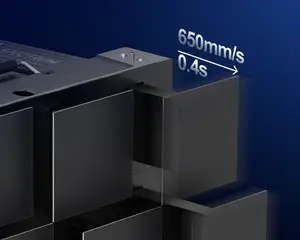
When the modules extend and retract at speeds of up to 650mm/s, insufficient refresh performance can result in visible artifacts when the display is captured by cameras or smartphones.
A high refresh rate helps provide smoother, flicker-free results for photography, video production, livestreaming, and on-site media coverage.
Refined Grayscale Performance
When a kinetic screen surface rises and falls dynamically, smooth color transitions become especially important.
Refined grayscale performance helps reduce visible color banding and creates smoother transitions between highlights, shadows, and gradients, complementing the physical depth of the moving display surface.
High Contrast Ratio
For content with strong differences between light and dark—such as night scenes, fireworks, or high-contrast visual effects—a high contrast ratio provides deeper blacks and brighter highlights, helping reinforce the three-dimensional impact of the physical movement.
5. Decision Matrix: Three Questions to Help You Choose
Before purchasing, ask yourself three questions.
1. What Is the Closest Viewing Distance?
- Less than 2 meters → choose P1.53
- More than 2.5 meters → choose P1.888
2. Will the Screen Mainly Display Fine Text and Data, or Dynamic Video?
- Fine text, technical data, charts, and detailed imagery → P1.53
- Video, animation, large-format visuals, and kinetic effects → P1.888
3. Is the Display Larger Than 30 m²?
For larger installations, the total cost savings of choosing P1.888 become more significant.
At the same time, because large screens are typically viewed from farther away, the perceived difference in image quality between the two pixel pitches becomes much less noticeable.
▶Video · YouTubeDesigned for Lightning-Fast Setup at Rental EventsWatch on YouTube →
6. Frequently Asked Questions (FAQ)
Q1: If my budget is sufficient, should I automatically choose P1.53?
A: Not necessarily. If you have a large showroom where most viewers stand more than 5 meters away, the additional cost of P1.53 may produce little perceptible difference at that distance.
In this situation, allocating part of the budget to higher-quality content production or interactive sensors such as radar may deliver a better overall return on investment.
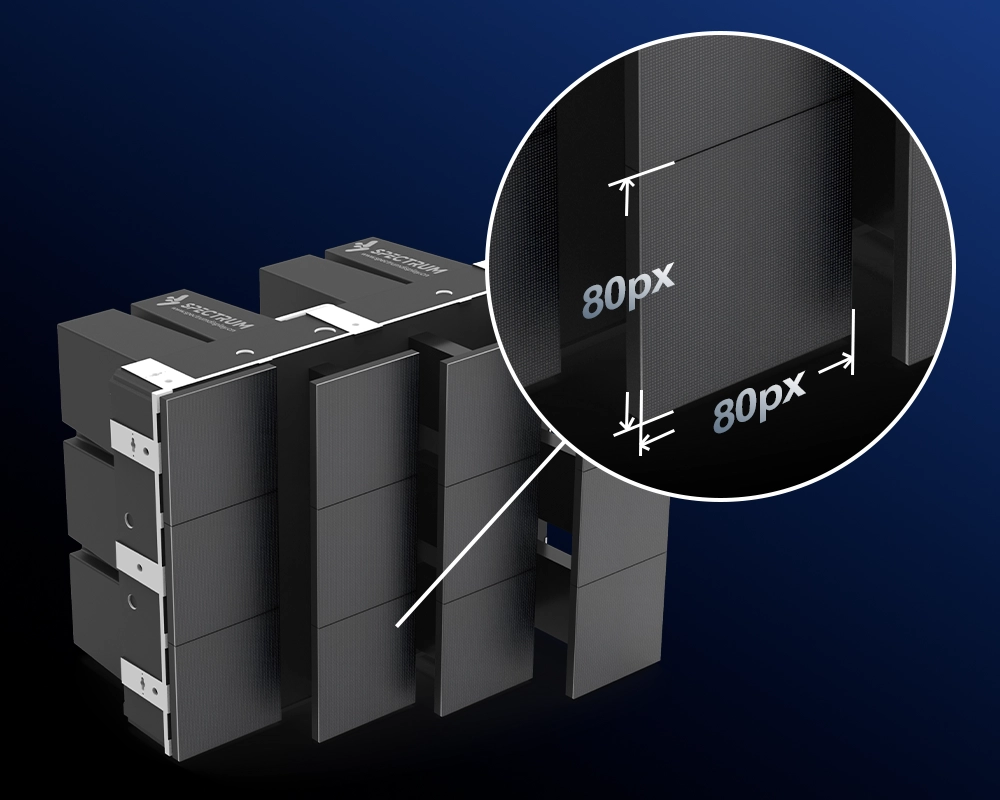
Q2: The SPKI-166 module measures 165.6 × 165.6mm. Why is the P1.53 version 108 × 108 pixels?
A: Pixel resolution is calculated by dividing the physical module dimension by the pixel pitch:
165.6mm ÷ 1.53mm ≈ 108.2
Therefore, each module contains approximately 108 pixels horizontally and 108 pixels vertically.
Q3: If I choose P1.888 now, can I upgrade to P1.53 in the future?
A: Yes. The SPKI-166 uses a standardized mechanical structure and cabinet system. If higher-resolution display performance is required in the future, P1.53 LED modules can be installed without replacing the underlying motion rails and electrical control system.
Q4: What practical difference do refresh rate and grayscale performance make on a kinetic screen?
A: When the kinetic modules extend and retract at high speed within a 0.4-second full-stroke cycle, display performance becomes particularly important.
A high refresh rate helps maintain stable visuals during camera capture, while higher grayscale performance produces smoother gradients and reduces visible color banding. Together, they help preserve the visual quality of the content while the physical display surface is moving.
7. Conclusion
Choosing pixel pitch is about finding the right level of visual performance for the actual project, rather than simply selecting the smallest number.
Key Takeaways:
- Consider viewing distance: Choose P1.53 for viewing distances below 2 meters; choose P1.888 when viewers are generally more than 2.5 meters away.
- Consider content: Choose P1.53 for fine text, detailed graphics, and data-heavy content; choose P1.888 for dynamic video, animation, and large-scale 3D effects.
- Consider budget: For large installations, P1.888 can significantly reduce overall project cost, allowing more budget to be invested in content creation and other system components.
- Display performance remains strong: The SPKI-166 supports ≥600 nits brightness, along with a high refresh rate, refined grayscale performance, and a high contrast ratio.
For more product information or a customized project solution, contact the Spectrum Display team through the Spectrum Display official website.