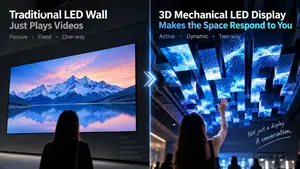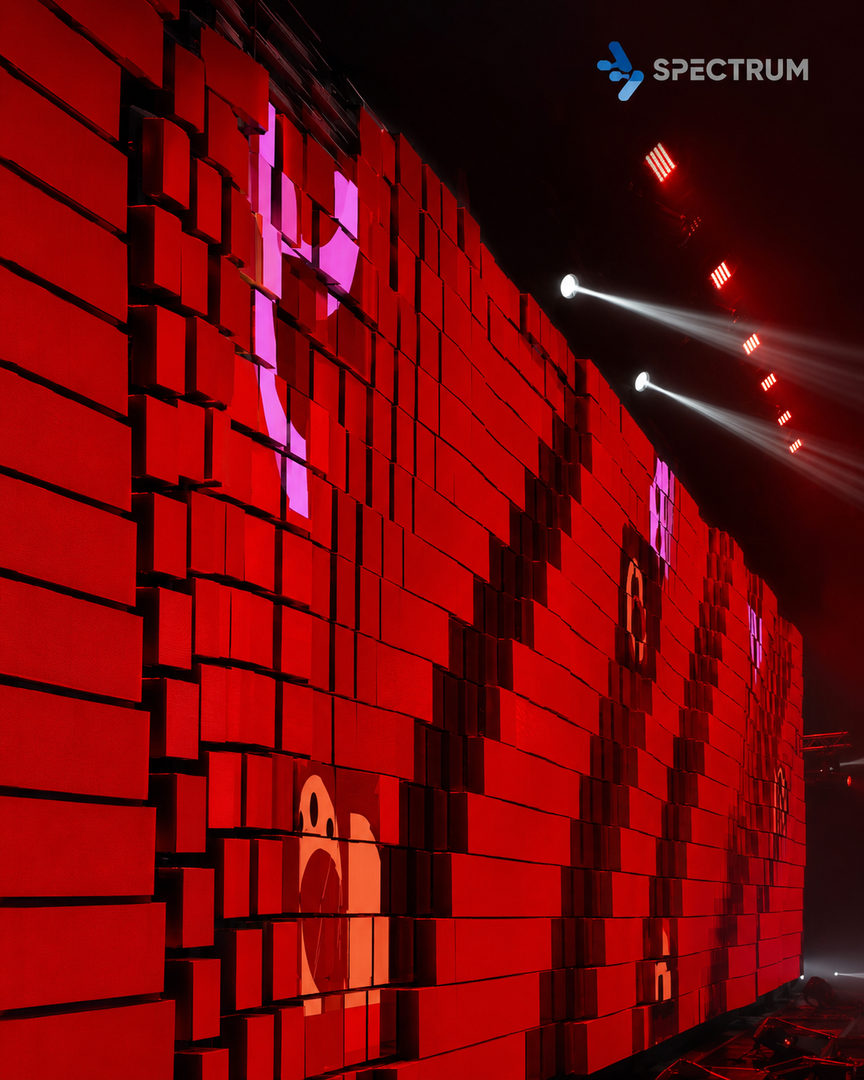
One-sentence definition: kinetic screen content design is a method of precisely matching video rhythm with the physical motion trajectory of telescoping or lifting mechanical structures. The core goal is to achieve a visual experience where "the screen moves as the content flows."
Table of Contents
What is kinetic screen content design?
Why can't regular video content be used directly on kinetic screen?
Four key steps in kinetic screen content design
How JDStrong Technology supports content design
Common misconceptions
FAQ
1. What is kinetic screen Content Design?
From "playing videos" to "choreographing motion"
For standard LED displays, content work is straightforward—produce the video and play it.
But telescopic kinetic screen is fundamentally different. The screen itself moves—telescoping, lifting, folding, rotating. If the visual content and mechanical motion are even 0.5 seconds out of sync, the audience will notice something feels "off."
kinetic screen content design means factoring in the mechanical "motion timeline" during video production—letting the visual rhythm follow the mechanical motion, or aligning the mechanical motion to the content.
In simple terms:
Standard LED content design = make a video
kinetic screen content design = make a "video + motion timeline" synchronization plan
Why is this harder than it sounds?
Most content teams understand video editing, not mechanical control. Their default workflow—"make the video first, then match the motion later"—often results in beautifully produced videos that are rhythmically misaligned with the machinery, requiring significant rework.
According to JDStrong Technology's internal data, over 70% of telescopic kinetic screen projects spend the most commissioning time on one issue: content-motion misalignment.
2. Why Can't Regular Video Be Used Directly on kinetic screen?
Many clients ask: "I already have a brand video. Can we just play it on the telescopic screen?"
The answer is: in most cases, no.
Three reasons:
1. Rhythm mismatch
Regular video rhythm is designed in "seconds." Mechanical motion rhythm is designed in "millimeters per second" of physical speed. They rarely align naturally.
Example: a video scene transition takes 0.3 seconds, but the telescopic screen takes 2 seconds to fully open. What does the audience see during that 1.7-second gap?
2. Failing to leverage the mechanical motion itself
The most compelling moments of a telescopic screen are precisely its "transformation" process—the suspense before opening, the tension during telescoping, the crispness of closing. Regular video doesn't account for any of these moments.
3. Incompatible control protocols
Video files and mechanical control commands speak different languages. Without interfacing with the control system's timeline early on, the video and mechanical motion operate independently.
JDStrong's practical advice:
If a client has existing footage they'd like to reuse, we recommend at least one "content adaptation assessment"—having the content and engineering teams jointly review the video rhythm, flag timing nodes that need adjustment, and make targeted modifications. Direct playback without adaptation rarely delivers good results.
3. Four Key Steps in kinetic screen Content Design
Step 1: Define motion rhythm first, then match visual rhythm
The correct workflow is the opposite of most people's instinct:
❌ Wrong: Make the video → force the machinery to chase it
✅ Right: Define mechanical motion parameters (speed, stroke, duration) → reverse-engineer the visual rhythm
According to JDStrong's SPKI series project data, projects following the "motion-first" workflow achieve content-motion synchronization within 0.1 seconds. Reverse-workflow projects show an average deviation of over 0.8 seconds—visibly misaligned.
Practical tip:
The content and engineering teams should sit together at project kickoff and co-create a "motion-content timeline" like this:
Time | Mechanical State | Visual Content | Notes |
|---|---|---|---|
0-1s | Closed | Black screen | Opening suspense |
1-3s | Open to 50% | Brand logo scales from center | Sync with opening |
3-4.5s | Open to 100% | Full brand key visual | Lock in at fully open |
4.5-6s | Hold open | Product video | Stable display |
This timeline is the project's "synchronization constitution"—both teams execute against it.
Step 2: Turn the mechanical motion itself into "visual language"
The most attention-grabbing moment of a telescopic screen isn't when it's fully open playing video—it's when it's "in the middle of transforming."
Content design should actively leverage these three moments:
Before motion: 2 seconds before opening, show a visual "tease" on screen—like lines radiating outward, hinting "something's about to change"
During motion: On-screen elements follow the mechanical direction—splitting as the screen opens, converging as it closes
After motion: Once the screen locks into position, hold a high-contrast image for 0.5-1 second to "lock in" the audience's attention before cutting to the next scene
Data from JDStrong's Coca-Cola World Cup launch event project:
When screen content synchronized with mechanical opening during the telescoping process, audience dwell time was approximately 40% higher than when content played independently of the motion.
Step 3: Interface with the control system timeline early
Many projects fail during final integration because teams discover that "video timecodes" and "mechanical command timelines" don't align.
Three things the content team must obtain before production starts:
Control system interface protocol (does it support frame-level triggering?)
Timeline mapping rules (at video second X, what mechanical action should occur?)
Latency compensation parameters (is there predictable delay between signal and mechanical response?)
JDStrong's MCenter4 control system supports frame-level sync triggering with millisecond precision (±50ms)—well below the human-perceptible latency threshold (approx. 150ms).
Recommendation:
The content team requests the MCenter4 timeline mapping template before starting production, building their content directly on this framework. This approach compresses final integration time to one-third or less of the traditional workflow.
Step 4: Factor in equipment protection during content design
More flashy is not always better. Two common "visually appealing but equipment-damaging" pitfalls:
Pitfall 1: High-frequency flicker + large telescoping amplitude
Flicker above 8Hz combined with large-scale telescoping motion can cause dizziness in some viewers.
JDStrong recommends: Keep flicker frequency below 4Hz during telescoping motion. Resume normal rhythm after motion completes.
Pitfall 2: High-brightness static content + extended folded hold
If the screen remains folded for more than 30 seconds while displaying high-brightness static content, LEDs in the same position age faster.
JDStrong recommends: Auto-switch to low-brightness dynamic content during folded hold, or reduce brightness to below 40% of maximum.
Actual data: According to JDStrong after-sales statistics, clients who factored LED protection into content design saw approximately 18% less lumen depreciation after 12 months of operation compared to those who did not.
4. How JDStrong Technology Supports Content Design
JDStrong Technology provides more than just telescopic kinetic screen hardware—we also offer content design support for clients and partners:
1. Content planning consultation
At project kickoff, JDStrong's technical team can review the creative script with the content producer to assess mechanical feasibility and content alignment.
2. MCenter4 timeline template
We provide standardized timeline mapping templates so content teams can create within the framework from the start—avoiding late-stage synchronization issues.
3. On-site integration support
JDStrong's engineering team assists with final content-motion synchronization on-site, ensuring delivery quality.
Core product lineup:
SPKI series: Indoor rental kinetic screen for exhibitions, events, showrooms
SPKO series: Outdoor engineering kinetic screen for building facades, landmark projects
5. Common Misconceptions
Misconception | Reality |
|---|---|
More dazzling visuals = better results | Visual rhythm must match mechanical capabilities, or misalignment occurs |
Make video first, then adjust motion | Late-stage sync is extremely costly—work backward from motion parameters instead |
Control system is just a "player" | It's the bridge between content and machinery—integrate early |
All LED content workflows are the same | kinetic screen requires motion synchronization—a fundamentally different approach |
6. FAQ
Q1: What's the core difference between kinetic screen content and standard LED video production?
Standard LED only requires producing the visuals. kinetic screen must overlay a physical motion timeline on top, ensuring every frame aligns with telescoping/lifting movements. Deviation beyond 0.2 seconds will impact the viewing experience.
Q2: Can a client's existing brand video be used directly on a telescopic screen?
It needs adaptation. Most existing videos don't match the telescopic screen's physical motion speed. We recommend a joint review by content and engineering teams to flag timing nodes that need adjustment. Direct playback rarely delivers satisfactory results.
Q3: What support does JDStrong offer for content design?
JDStrong provides content planning consultation, MCenter4 timeline templates, and on-site integration support. Content teams can obtain interface protocols and mapping rules at the production stage—avoiding late-stage rework.
Q4: Are maintenance costs for telescopic kinetic screen systems high?
Indoor rental scenarios (SPKI series) average 3%-5% of equipment purchase price in annual maintenance costs. Proactively avoiding issues like high-brightness static holds at the content design stage can reduce maintenance costs by an additional 20%.